To read a home or commercial inspection report, start with the summary, review each finding and its photos, then check the full report for inspection limits. Use the recommendations to plan your next steps.
Good Life Inspections uses Spectora for both home inspections and commercial inspections. The same reading process applies to both.
Follow along with our sample home inspection report. All screenshots below show that residential sample. Your report’s sections, labels, and scope may differ.
1. Review the summary and priority labels
Check the property details, inspection date, and areas covered. For a commercial property, confirm which buildings, suites, and shared areas are included. Then open Summary for an overview.
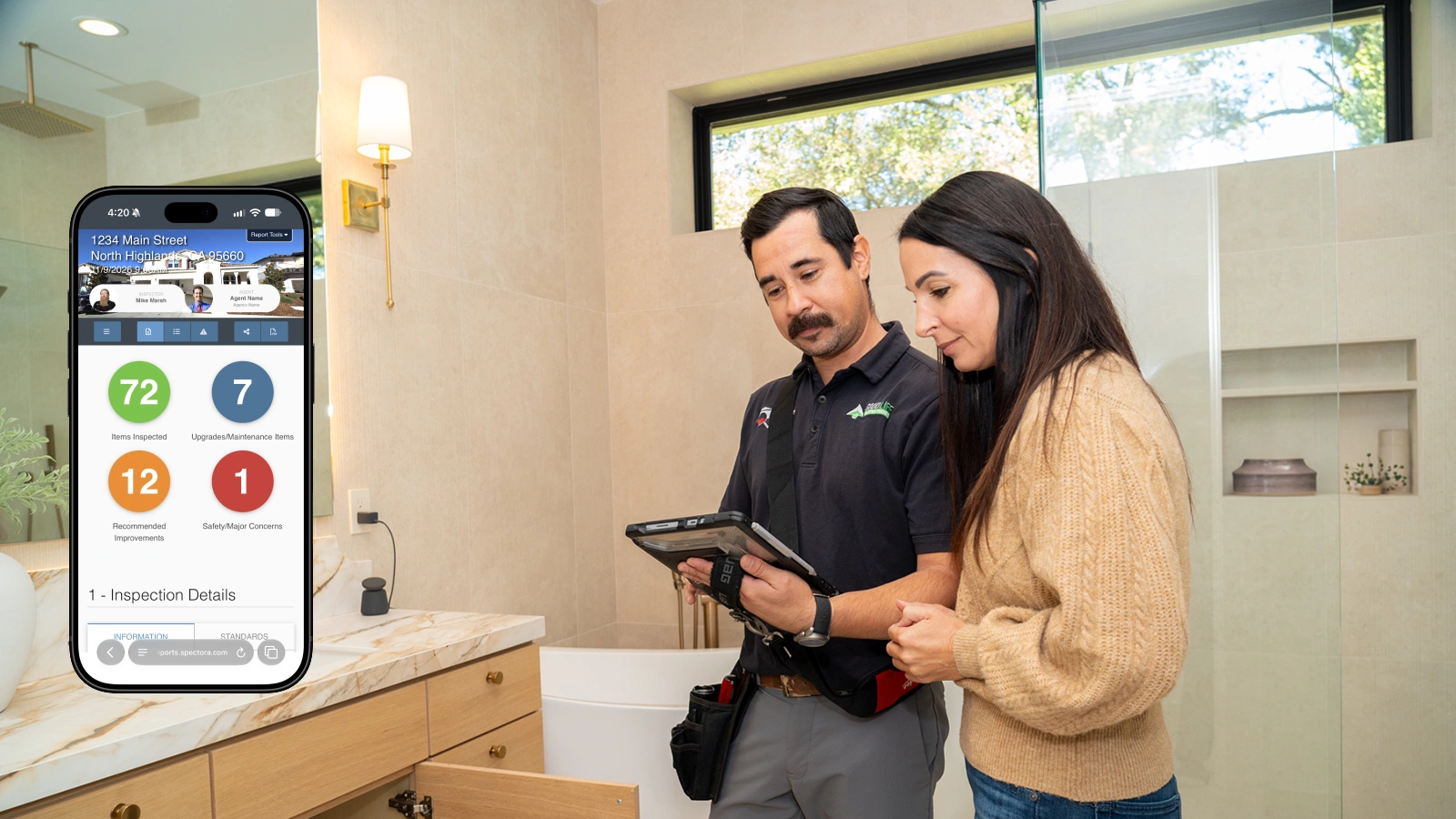
The sample lists 72 items inspected and 20 finding entries. “Items inspected” describes coverage, not the number of problems. These counts are not a pass/fail score.

This home report example uses three priority labels:
| Label in this sample | How to use it | Example from the sample |
| Blue: Upgrades/Maintenance Items | Plan the recommended upkeep or improvement. | 11.2.1, Missing Screen (window insect screen) |
| Orange: Recommended Improvements | Arrange the stated repair, correction, or evaluation. | 2.1.1, Further Roof Inspection |
| Red: Safety/Major Concerns | Review promptly with the inspector and recommended professional. | 6.4.1, Loose Receptacle in the garage |
Color helps you sort findings. Read the recommendation for the next step. The category alone does not tell you the repair cost or who pays.
2. Read each finding and its photos
For each finding, look for five details:
- Item number: use it when asking questions.
- Location: identify the room, suite, building, or equipment unit.
- Condition: read what the inspector observed.
- Photos: open every attached image.
- Recommendation: note the action or professional listed.
For example, item 2.1.1, Further Roof Inspection, notes a broken tile above the garage. Roof access was restricted, so the report also recommends further evaluation.
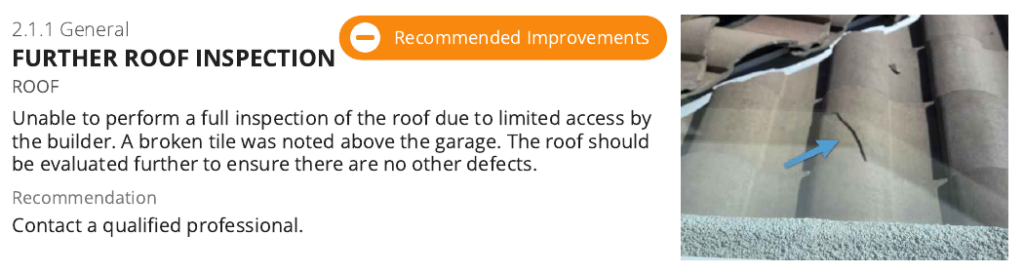
This finding describes both a visible problem and an unanswered question. Fixing the tile would not resolve what remains unknown about the uninspected areas.
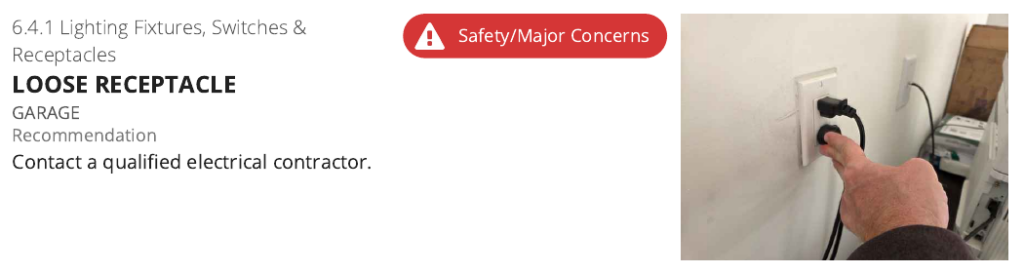
Item 6.4.1, Loose Receptacle, describes an electrical outlet in the garage. It is labeled Safety/Major Concerns and recommends a qualified electrical contractor.
3. Check the full report for inspection limits
Open Full Report and review each system. Information describes the property’s materials and equipment. Limitations explain what could not be fully checked. Observations/recommendations describe concerns and next steps.
“Unable to test” does not mean an item works or needs replacement. It means its condition remains unresolved.
In item 11.2.2, trim prevented the windows from opening. The report recommends having the builder demonstrate that all windows function.
Read your agreement and the standards referenced in your report to understand its scope. Home inspection standards and commercial inspection standards have different requirements. For commercial properties, check any sampling, excluded systems, inaccessible spaces, and supporting documents. Ask your inspector what remains unknown and how to resolve it.
4. Make a follow-up list
For each important finding, record the item number, location, recommended action, responsible person, and deadline.
Start with safety concerns and items needing further evaluation. From the home sample:
- 6.4.1: arrange the recommended electrical contractor evaluation.
- 2.1.1: arrange access and further roof evaluation.
- 11.2.2: ask the builder to demonstrate window operation.
For a home purchase, coordinate evaluations and repair requests with your agent. For a commercial property, work with the owner or property manager to assign follow-up, arrange access, and plan repair and maintenance budgets. Record any transaction deadlines.
For construction repair estimates, share the relevant findings with Good Life Construction, a separate Good Life Group company.
5. Save and share your Spectora report
In the sample, PDF → Full Report saves a complete copy. Keep your digital report link for photos and any videos, attachments, or supporting links.
To organize selected findings, open Report Tools → Repair Request Builder, if enabled. Select items, add clear comments, then preview the list before creating its shareable link.
The builder does not estimate repair costs. Any credit amount entered comes from the user. Spectora’s Repair Request Builder guide explains the options.
Keep the report with follow-up evaluations and repair records so you can track unresolved items.
Have questions about your report? Contact Good Life Inspections with the item number for help understanding the finding and next step.